.svg)
Få kortfordeler når du betaler bedriftskostnader med kredittkortet og bevar fleksibel likviditet
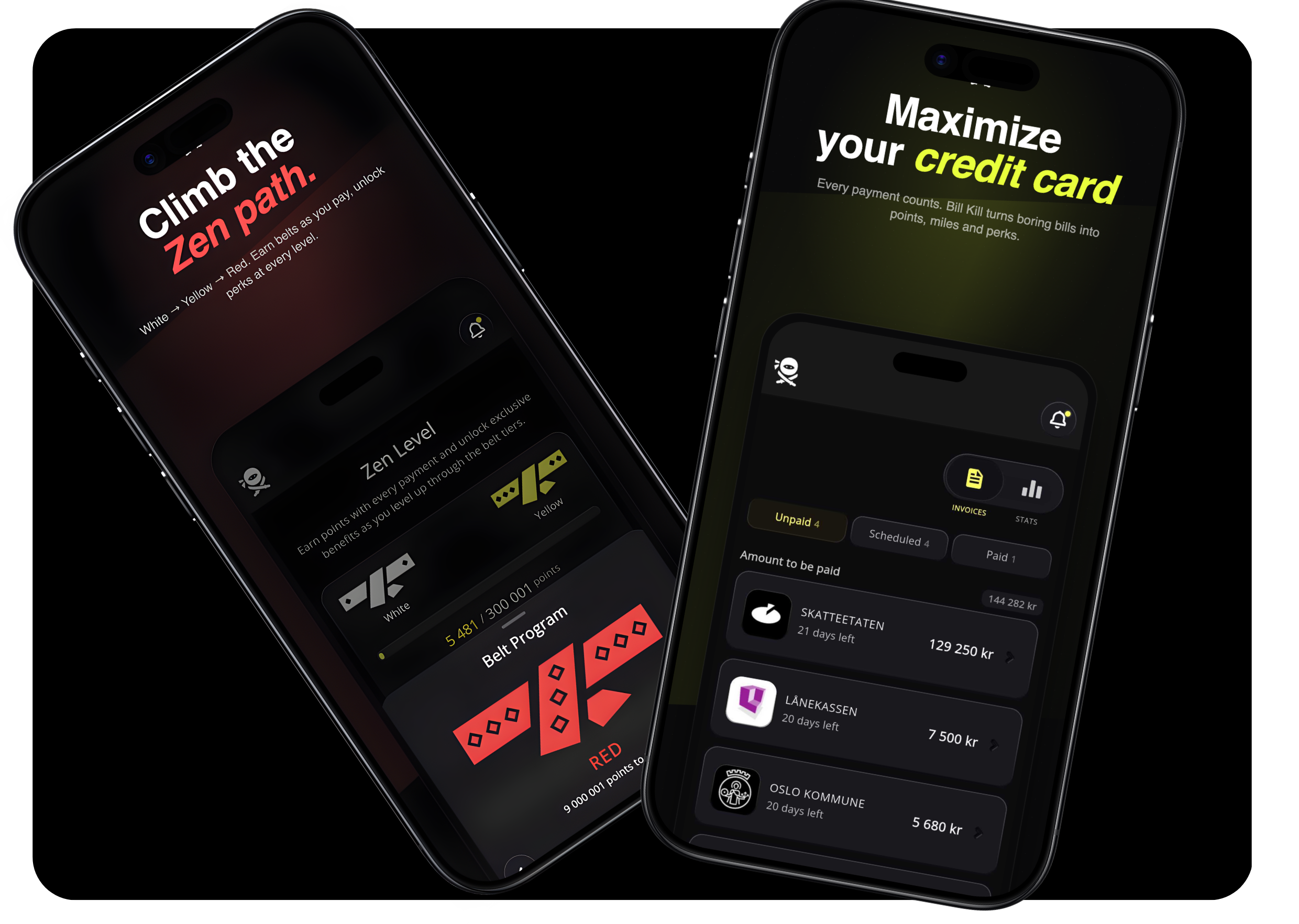
Pay company expenses with your credit card to earn rewards* and keep your cash flow flexible.
What types of invoices can i pay in Bill Kill?


.png)
Industries we work with
Safety protocols, equipment handling, and project management training.
Lean manufacturing, machinery operation, quality control, and safety training.
Patient care, medical procedures, compliance, and healthcare technology training.
Renewable energy systems, equipment maintenance, and environmental safety.
Supply chain management, vehicle safety, and regulatory compliance.
Coding languages, cybersecurity, software development methodologies, and IT compliance.


Get new skills and expand your expertise. Your next breakthrough is just one course away.
Download the app today
All the end beneficiaries that consumers (C2B) can make payments to and following additional categories, that have been fully verified and approved through our compliance framework.
Industries we work with
Safety protocols, equipment handling, and project management training.
Lean manufacturing, machinery operation, quality control, and safety training.
Patient care, medical procedures, compliance, and healthcare technology training.
Renewable energy systems, equipment maintenance, and environmental safety.
Supply chain management, vehicle safety, and regulatory compliance.
Coding languages, cybersecurity, software development methodologies, and IT compliance.
Get new skills and expand your expertise. Your next breakthrough is just one course away.
Download the app today

What types of invoices can i pay in Bill Kill?


Can’t find what you’re looking for?
Contact us at support@billkill.no

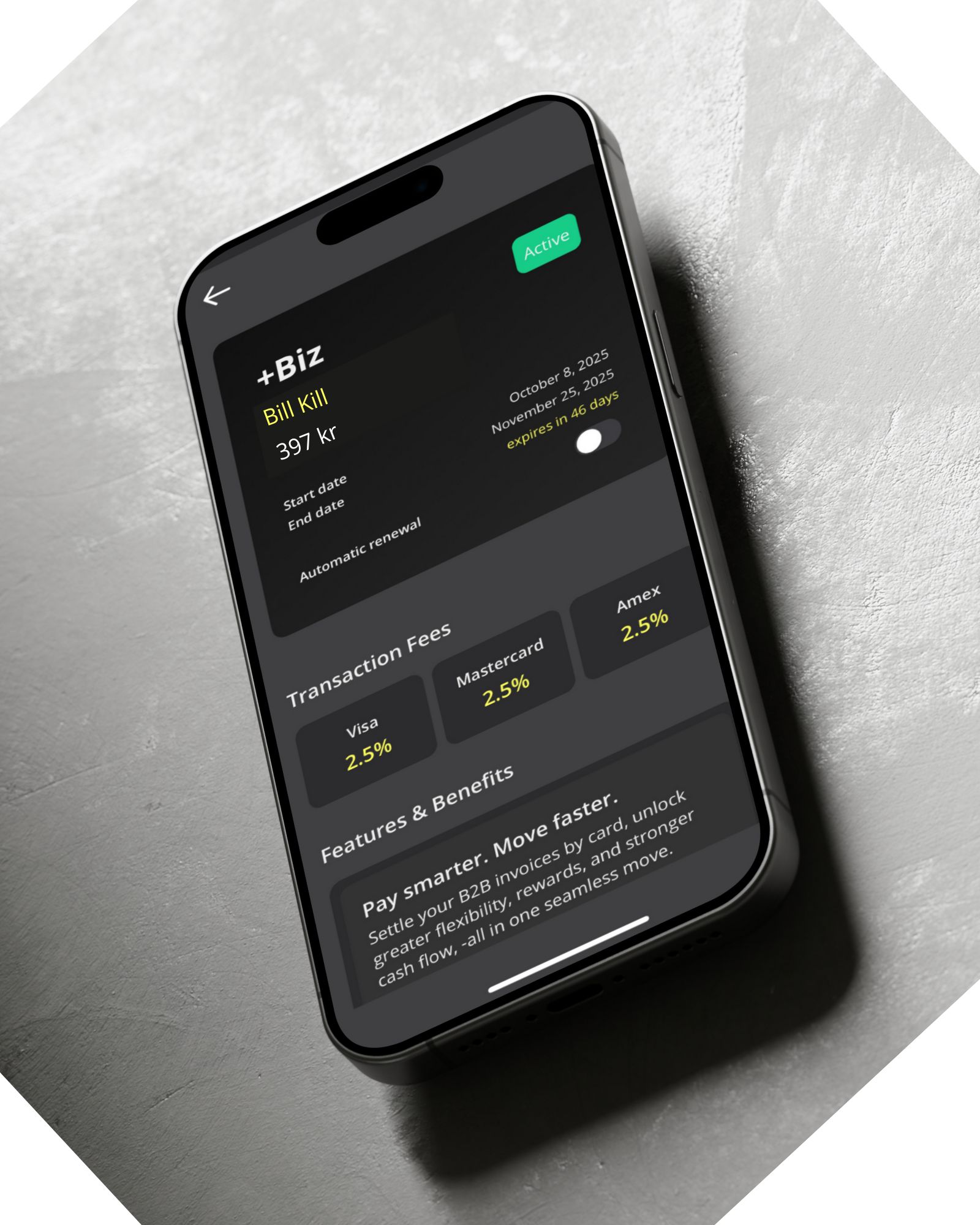
+Biz is available for registered companies, including AS, ENK and small businesses. You must have the right to represent the company (signing authority or power of attorney).
MASTER BILL KILL
You can activate and manage your +Biz subscription directly in the Bill Kill app.
If you already have a Master Bill Kill plan, you can easily upgrade to +Biz without cancelling your current plan.
Please note that +Biz subscriptions can only be paid with Visa or Mastercard.
This does not affect your regular business payments , you can still pay invoices with other supported cards, including Amex.
You can pay most of your everyday bills - essentially the ones you already receive throughout the year. These include (but are not limited to):
Electricity and gas
Renovation or maintenance costs
Office equipment
Merchandise and supplies
Taxes and government fees
Office rent and utilities
Cleaning expenses
Parking fees and garage rent
Mobile phone and internet bills
Business insurance
Medical expenses
Software tools and systems
Freelancers and consultants
Marketing and materials
Food and beverages
Restaurants and catering
…and many more!
The following payments are not supported in +Biz:
- Payments to private individuals or personal accounts (peer-to-peer)
- Cryptocurrency and currency exchange services
- Casino and gambling
- Arms or weapons dealers
- Adult content
- Foreign issuers without a verified Norwegian bank account
- Payments to your own company
- Financial institutions, including other credit card issuers
- Debt collectors
- A business that sells prescription drugs / products online
Additional Amex restrictions apply:
- Interest-bearing claims
- Flight tickets, cruise ships, travel agencies, and charter packages
- Klarna invoices
- Hotels, motels, and resorts
- Stocks, bonds, and mutual funds
Note: There may be additional restrictions. If you’re unsure, contact our support team.

For norwegian users:
1. Once you have been identified with BankID and accept receipt of the eFaktura at Bill Kill (during the registration process), you will automatically see all your unprocessed eFaktura in the app.
By "unprocessed" we mean invoices that haven't been approved for payment, changed, deleted or canceled on your online bank. As Bill Kill is dynamic with the banks, an eFaktura you process in Bill Kill will disappear from other online bank platforms and vice versa. The same applies if you have several bank customer relationships.
2. If you managed to skip the approval of the e-invoice during the registration process, you can accept by going to PROFILE - EFAKTURA - RECEIVE EFAKTURA.
3. Very rarely you might experience that your eFaktura-alias is in use by someone else, preferably someone in your family or from your household. Then you must contact your bank and change your eFaktura alias which is your email address to be able to use Bill Kill with eFaktura.
For swedish users:
We are working to ensure that Swedish users also receive all their e-invoices in Bill Kill, but at the moment Swedish e-invoices are not automatically included in the app.
Yes, if the issuer is whitelisted in Bill Kill.
Manual entry is possible if the invoice issuer is whitelisted in Bill Kill.
To add an invoice manually:
1. Go to “New Invoice” and search for the issuer by name or organizational number (company).
2. Enter the KID number (Norway) or note, OCR number (Sweden), along with the payment date.
3. Double-check that the KID/Note/OCR and payment amount are correct before approving the payment.
If the issuer is not yet whitelisted (from our database of over 32,000 approved issuers), you'll need to send a request directly from the app.
Bill Kill makes it easy with a built-in “Pay Again” feature:
Do the following:
1. Go to “Paid Invoices” and find the last payment to the recipient.
2. Tap the invoice and select “Pay Again.”
3. Update the due date and verify the amount and approve the payment.
The new payment will now appear under “Scheduled Invoices.”
Payments are automatically scheduled for the invoice due date, unless you’ve selected a different date.
Once Bill Kill receives the funds from your card issuer, the amount is transferred to the invoice issuer.
We recommend initiating payments 1-3 business days before the due date to ensure timely delivery.
Note: You can cancel a payment at any time before the transaction is completed.
Finner du ikke det du leter etter?
Kontakt oss på support@billkill.no
+Biz er tilgjengelig for bedriftseiere og beslutnignstakere hos registeret AS, ENK og små bedrifter. Du må ha rett til å representere selskapet, enten gjennom signaturrett eller fullmakt.
MASTER BILL KILL
Du kan aktivere og administrere +Biz direkte i Bill Kill-appen.
Hvis du allerede har Master-abonnement, kan du oppgradere til +Biz uten å avslutte det du har fra før. Master-abonnement vil konverteses automatisk til +Biz, slik at du ikke taper penger på oppgradering.
Vær oppmerksom på at +Biz kun kan betales med Visa eller Mastercard.
Dette påvirker ikke de vanlige bedriftsbetalingene dine. Du kan fortsatt betale fakturaer med andre kort som støttes, inkludert Amex.
Du kan bruke American Express, Visa eller Mastercard til å betale de aller fleste vanlige regningene du mottar gjennom året.
Dette inkluderer blant annet:
• Strøm og gass
• Vedlikehold eller oppussingskostnader
• Kontorutstyr
• Varer og forbruksartikler
• Skatter og offentlige avgifter
• Kontorleie og faste kostnader
• Renholdstjenester
• Parkeringsutgifter og garasjeleie
• Mobil og internett
• Bedriftsforsikring
• Medisinske utgifter
• Programvare og digitale verktøy
• Frilansere og konsulenter
• Markedsføring og materiell
• Mat og drikke
• Restauranter og catering
• Bil og lastebilforhandlere, verksted, deler og leasing
....og mye mer
Følgende betalinger støttes ikke i +Biz:
• Betalinger til private personer eller personlige kontoer
• Kryptovaluta og valutaveksling
• Casino og pengespill
• Våpenforhandlere
• Vokseninnhold
• Utenlandske utstedere uten verifisert norsk bankkonto
• Betalinger til eget selskap
• Finansinstitusjoner, inkludert andre kredittkortselskaper
• Inkassoselskaper
- Selskaper som selger reseptbelagte medisiner
Tillegg for Amex:
• Renter og andre rentebærende krav
• Flybilletter, cruise, reisebyråer og pakkereiser
• Klarna-fakturaer
eller lignende
• Hoteller, moteller og resorter
• Aksjer, obligasjoner og fond
• Kausjon/kausjonsgaranti-gebyrer
• Konkurs- og gjeldsbehandlingstjenester
• Investering
• Kjøp av vin en primeur (vin på fat)
Merk: Det kan gjelde flere begrensninger. Er du i tvil, kontakt support.
For norwegian users:
1. Once you have been identified with BankID and accept receipt of the eFaktura at Bill Kill (during the registration process), you will automatically see all your unprocessed eFaktura in the app.
By "unprocessed" we mean invoices that haven't been approved for payment, changed, deleted or canceled on your online bank. As Bill Kill is dynamic with the banks, an eFaktura you process in Bill Kill will disappear from other online bank platforms and vice versa. The same applies if you have several bank customer relationships.
2. If you managed to skip the approval of the e-invoice during the registration process, you can accept by going to PROFILE - EFAKTURA - RECEIVE EFAKTURA.
3. Very rarely you might experience that your eFaktura-alias is in use by someone else, preferably someone in your family or from your household. Then you must contact your bank and change your eFaktura alias which is your email address to be able to use Bill Kill with eFaktura.
For swedish users:
We are working to ensure that Swedish users also receive all their e-invoices in Bill Kill, but at the moment Swedish e-invoices are not automatically included in the app.
Ja, det er mulig hvis fakturautsteder allerede er godkjent i Bill Kill.
Manuell registrering kan brukes når du har mottatt fakturaen direkte fra utsteder, og med all nødvendig betalingsinformasjon.
Slik gjør du det:
1. Gå til «Ny faktura» og søk opp utsteder etter navn eller organisasjonsnummer.
2. Legg inn KID-nummer (Norge) eller OCR-nummer (Sverige), samt ønsket betalingsdato.
3. Kontroller at KID/OCR og beløpet stemmer før du godkjenner betalingen.
4. Velg kort.
Hvis utsteder ikke er godkjent ennå i vår database på over 39 000 registrerte whitelistede fakturautstedere, kan du sende inn en forespørsel direkte fra appen.
Du kan bruke funksjonen «Betal igjen», som gjør gjentagende betalinger enklere:
1. Gå til «Fullførte oppdrag» fakturaer og finn den siste betalingen til mottakeren. (Swipe tre ganger til venstre når du står i forsiden.)
2. Åpne fakturaen og velg «Betal igjen».
3. Oppdater forfallsdato, kontroller beløpet og godkjenn betalingen.
Den nye betalingen vises deretter under «Bills til forfall».
På betalingsdato initieres fakturabeløpet fra kortet ditt. Korttransaksjoner tar lengre tid enn kontotransaksjoner, og vi anbefaler alle våre brukere å beregne 1-3 bank virkedager.
Du kan alltid avbryte en betaling så lenge transaksjonen ikke er fullført.






%20(1640%20x%202412%20px)%20(1).png)